
Instead of remembering to check for loose fur every day, set up a dog shedding season grooming reminder in Google Calendar that prompts a coat check, then starts a repeating grooming schedule when you notice increased shedding. This EverstockPets guide walks you through the setup for 2026; the calendar sends reminders, but it does not detect changes in your dog's coat.
- Use Google Calendar for a dog shedding season grooming reminder; coat checks determine when grooming reminders should begin.
- EverstockPets recommends choosing grooming tools for your dog's coat, not treating every shedding season the same.
- Test notifications before relying on recurring grooming reminders.
- Change the schedule when shedding changes; never brush irritated skin just because an alert appears.
Why this matters
A seasonal reminder is useful only if it leads to the right action. A calendar date cannot tell you whether your dog has started shedding more, whether a brush suits their coat, or whether their skin needs veterinary attention. Automate the nudge, not the decision about your dog's care.
Some dogs have noticeable seasonal shedding, while others shed throughout the year. Coat type, daylight exposure, and individual differences affect the pattern. Start your 2026 schedule with what you observe in your own dog rather than assuming every dog needs the same spring or fall routine.
EverstockPets is best for dog owners who want practical grooming guidance alongside a place to shop for pet supplies. The reminder workflow below uses Google Calendar, separate from the store, so your household controls the timing and notifications.
Before you start
- Calendar access: Have a Google account, access to Google Calendar on a computer, and the Google Calendar app on the phone where you want alerts. These instructions use the English desktop interface for setup.
- Coat-care materials: Keep a suitable grooming tool nearby and note your dog's usual shedding pattern. The guide to dog grooming tools for heavy shedders gives you a starting point for choosing tools rather than buying by appearance alone.
- The easy-to-miss gotcha: Creating an event does not guarantee a phone alert. Check the calendar's sync settings, the app's notification permissions, and your phone's focus settings before depending on reminders.
Choose a time when you can actually look at your dog's coat. A reminder during your commute simply becomes another notification to dismiss. If a groomer or veterinarian has given you a coat-care plan, use that plan to choose the grooming frequency.
Choose your reminder approach
There are two useful workflows: a recurring coat check before increased shedding, and recurring grooming reminders after you notice the change. They work together, but they serve different purposes.
| Workflow | Best for | Benefit | Limitation |
|---|---|---|---|
| Recurring coat check | Owners who do not yet know their dog's seasonal pattern | Prompts you to notice loose fur and skin changes | Requires you to inspect the coat; it cannot detect shedding automatically |
| Active grooming reminders | Owners who have noticed increased shedding and have a suitable care plan | Keeps agreed grooming sessions on your calendar | Needs adjustment when shedding or your dog's comfort changes |
Start with coat checks when the timing is uncertain. A grooming alert tied to an assumed season can prompt unnecessary brushing, while a coat check gives you a reason to adjust the routine.
For your 2026 setup, keep the two event names distinct. Use one title for observation and another for action, so you can understand the notification without opening the full event.
Coat-check event
Create the first event on a computer, where the recurrence and description fields are easier to review. The example below uses a weekly check as a planning choice, not a medical recommendation or a required brushing frequency.
- Open Google Calendar and select Create, then Event.
- Enter a clear title, such as
Milo — coat check. - Choose the date and time for your first check. For example, reserve 10 minutes on an evening when you are usually home; this is a calendar slot, not a required grooming duration.
- Select the calendar you normally use for household responsibilities. Avoid placing the event on a work calendar that you do not check outside office hours.
- In Description, write the actions you want the reminder to prompt: inspect the coat, look for increased loose fur, check the skin, and decide whether the grooming schedule needs changing.
- Select Save.
Keep the description short enough to read at a glance. A useful note is: Check for more loose fur than usual. Look at the skin. If comfortable and appropriate for this coat, update the grooming schedule.
Expected result: You can see one timed coat-check event on the intended calendar. Opening it shows the correct dog's name and a clear inspection checklist, not an instruction to brush regardless of what you find.
Do not use an all-day event for this first setup. A timed event makes it easier to connect the notification with a moment when you can act.
Recurrence settings
A repeating coat check removes the need to create each reminder separately. Give the series a review point rather than letting an outdated care routine continue unnoticed.
- Open your coat-check event and select the pencil icon to edit it.
- Open Does not repeat and select Custom.
- Set the recurrence to every 1 week for this example. That creates a check every 7 days; change the interval if your dog's existing care plan calls for something different.
- Select the day that fits your household routine.
- Under Ends, choose On and enter a review date in 2026.
- Select Done, then Save. If Calendar asks which events to update, apply the recurrence change to the intended series.
Use a review date to ask whether the reminder still serves a purpose. It is not a prediction of when shedding will stop. At the review, continue the coat checks, change the interval, or finish the series according to what you observe.
Expected result: Future coat checks appear at the selected interval, and the series stops on your chosen review date. Check more than the first occurrence so you can catch a wrong weekday or an unintended repeat pattern.
What to record after a coat check
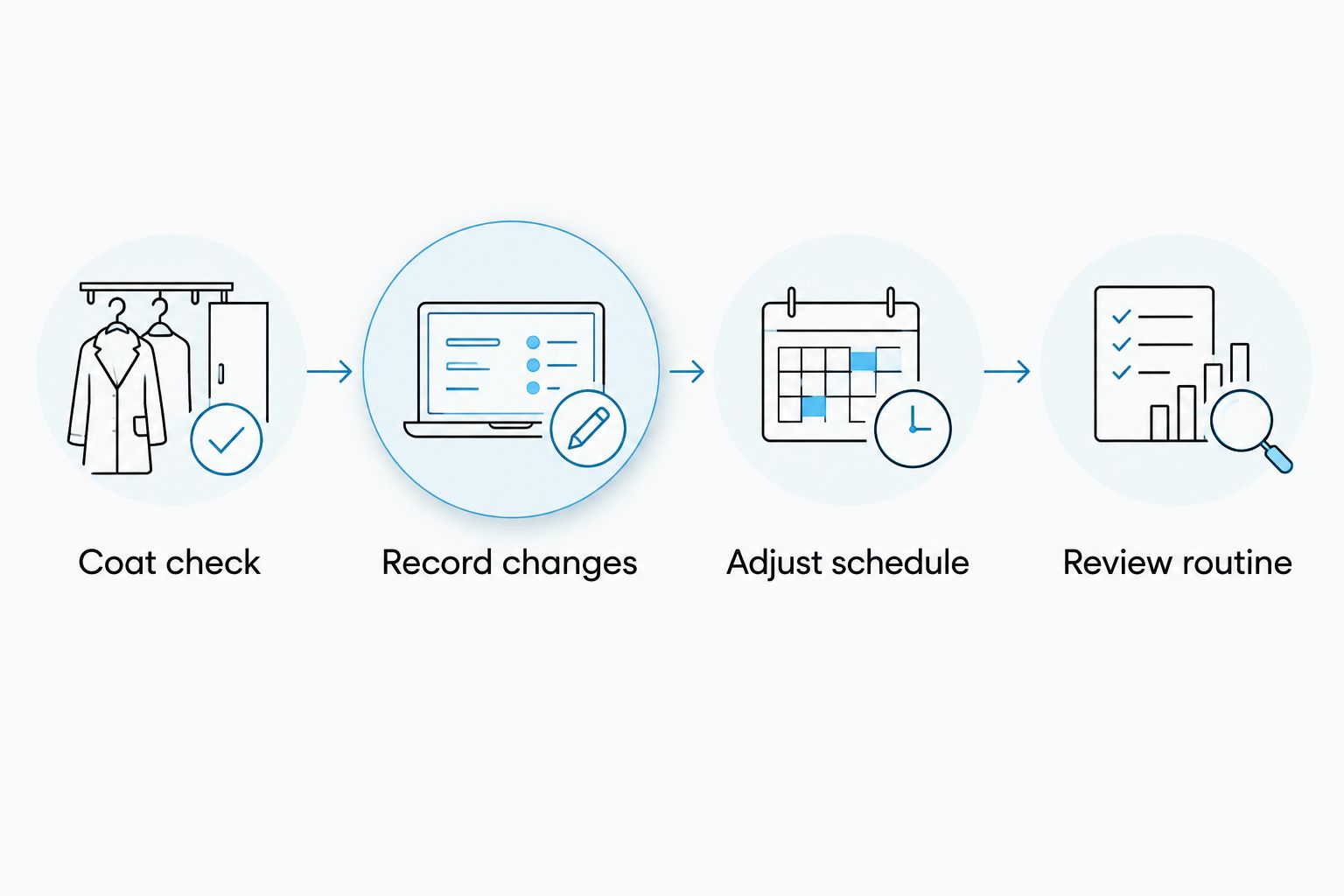
Use plain observations rather than a complicated score. Record whether loose fur looks normal for your dog, has increased, or has settled back down. Add whether the skin looks comfortable and whether grooming was tolerated.
This small record gives your next reminder context. It also helps another household member understand why the routine changed without guessing from the amount of fur on the sofa.
Notification settings
A calendar entry and a working notification are separate things. Configure the alert on the event, then confirm that your phone receives it.
- Open the coat-check event and select the pencil icon.
- Select Add notification. Choose Notification and set an alert before the event; 10 minutes is a practical example if you need time to gather your grooming materials.
- Select Save and apply the notification setting to the recurring series when prompted.
- On your phone, open the Google Calendar app and confirm that the calendar containing the event is visible and syncing.
- In your phone's system settings, allow notifications for Google Calendar. Review focus or do-not-disturb settings that silence alerts at your chosen time.
Choose one useful alert rather than adding several by default. Repeated notifications do not make the coat check more effective if you dismiss them all.
Expected result: Opening a future occurrence shows the intended notification timing, and your phone displays the same event. The next section verifies actual delivery rather than relying on the saved settings alone.
For shared care, each person should confirm notifications on their own device. Seeing a shared calendar is not proof that everyone will receive the same alerts.
Test event and handoff
Test the notification before waiting for the first real coat check. Keep this test separate from the recurring series so you do not accidentally move every future reminder.
- Select Create, then Event, and name it
Grooming reminder test. - Schedule the event 5 minutes from now and add a notification 2 minutes before it starts. These are test settings only.
- Select Save, then leave the Calendar app and wait for the alert.
- Confirm that the notification reaches the intended phone and opens the correct event.
- Delete the test event after checking delivery. Leave the real coat-check series unchanged.
Expected result: You receive an alert before the test event and can open its details. If the test fails, fix notification delivery before relying on your 2026 grooming schedule.
When more than one person provides care, name the person responsible in the description. A shared reminder without an owner can leave everyone assuming somebody else handled it. Record completion in the description of that day's occurrence, rather than rewriting the instructions for the entire series.
Start grooming reminders when shedding increases
The second workflow begins when a coat check shows more loose fur than your dog's usual pattern. This is an observation-triggered routine: you identify the change, then Calendar repeats the reminders. No calendar setting senses fur loss.
- Create a separate event named
Milo — grooming sessionrather than renaming the coat-check series. - Choose a grooming time and repeat interval based on your dog's coat needs and any guidance from their groomer or veterinarian. Do not copy the coat-check frequency automatically.
- In Description, record the suitable tool, the areas to check, and the instruction to stop if your dog shows discomfort or the skin looks irritated.
- Set the notification using the same process as the coat-check event.
- Add an end date for a routine review. When shedding settles, reduce or end this reminder series instead of continuing the seasonal routine unchanged.
You can also move one grooming appointment without shifting the routine. Edit its date or time, select Save, and choose This event when Calendar asks which occurrences to change.
For a lasting schedule change, select This and following events when that option appears. Review the next occurrence afterward; the event you edited should not be the only one showing the new time.
Troubleshooting
The reminder exists, but your phone stays silent
Open the event and check that it contains a notification. Then confirm calendar sync, app permissions, and focus settings on the phone. Repeat the separate test event after changing settings; a visible event alone does not confirm delivery.
The series repeats on the wrong day
Open a future occurrence and inspect the custom recurrence. Correct the selected weekday and interval, then save the change for the intended series. Check another future date to verify that the correction took effect.
You receive duplicate grooming alerts
Look for overlapping coat-check and grooming events, duplicate series, or notifications from more than one calendar app. Remove the unnecessary alert or duplicate event, but keep the observation reminder if it still serves a separate purpose.
Only one appointment moved
You saved a change for This event rather than future occurrences. Edit the series again and choose the future-event option appropriate to your intended change. Keep single-event edits for holidays, appointments, or other one-off conflicts.
Your dog seems uncomfortable during grooming
Stop the session rather than following the reminder mechanically. Bald patches, inflamed skin, sores, or persistent scratching need veterinary attention, not a more frequent calendar alert. Update the event instructions after receiving care guidance.
Customize your workflow
Keep the reminder useful as your dog's needs change. EverstockPets grooming guidance belongs alongside your observations, not in place of advice tailored to your dog's coat and skin.
- Multiple dogs: Create separate series with each dog's name. Different coats need different instructions, and one shared event makes it easy to apply the wrong routine.
- Groomer visits: Add appointment reminders separately from home coat checks. Use the dog grooming tools for professional groomers guide to understand tool categories before discussing home maintenance with your groomer.
- Changing seasons: Review your 2026 notes before choosing future dates. Recorded coat changes are more useful than repeating an assumed seasonal start date.
- Shared households: Assign the session to one person and leave a brief completion note on that occurrence. Keep the recurring description focused on care instructions.
FAQ
What's the best way to set a dog shedding season grooming reminder?
Use a recurring Google Calendar coat check, then create grooming reminders when you observe increased shedding. This separates noticing a coat change from deciding how often to groom.
Can Google Calendar automatically detect when my dog starts shedding?
No, Google Calendar does not detect changes in your dog's coat. It sends scheduled reminders; you identify increased shedding during a coat check.
What date should I choose for shedding season in 2026?
Choose a coat-check date based on your dog's observed pattern, not a universal seasonal start date. If you do not know the pattern yet, begin with recurring checks and record changes.
Should I brush my dog every time the reminder appears?
No, a reminder should prompt you to assess your dog's coat and comfort first. Follow an appropriate grooming plan, and stop if brushing causes discomfort or you notice irritated skin.
Why isn't my grooming reminder appearing on my phone?
Check the event notification, calendar sync, phone notification permissions, and focus settings. Create a separate near-term test event to confirm delivery after making changes.
Can two people receive the same grooming reminder?
Two people can use a shared calendar for the same grooming event. Each person must check notification delivery on their own device, and the event should identify who is responsible.
Does EverstockPets run the grooming reminder for me?
This guide sets up reminders in your own Google Calendar, not through an EverstockPets reminder service. You control the schedule, notifications, and changes to your dog's care routine.
One last thing
Name the reminder after the action, not just the season. Coat check — decide whether grooming needs changing is more useful than Shedding season starts, because it tells you what to do without pretending the calendar knows your dog's biology.
After your first real alert, ask whether the timing helped you care for your dog. Move it if necessary. A reminder that fits your household is better than a perfectly repeated notification you always dismiss.